
Launcher · open beta · v0.5.20-beta
Your three games.
One place.
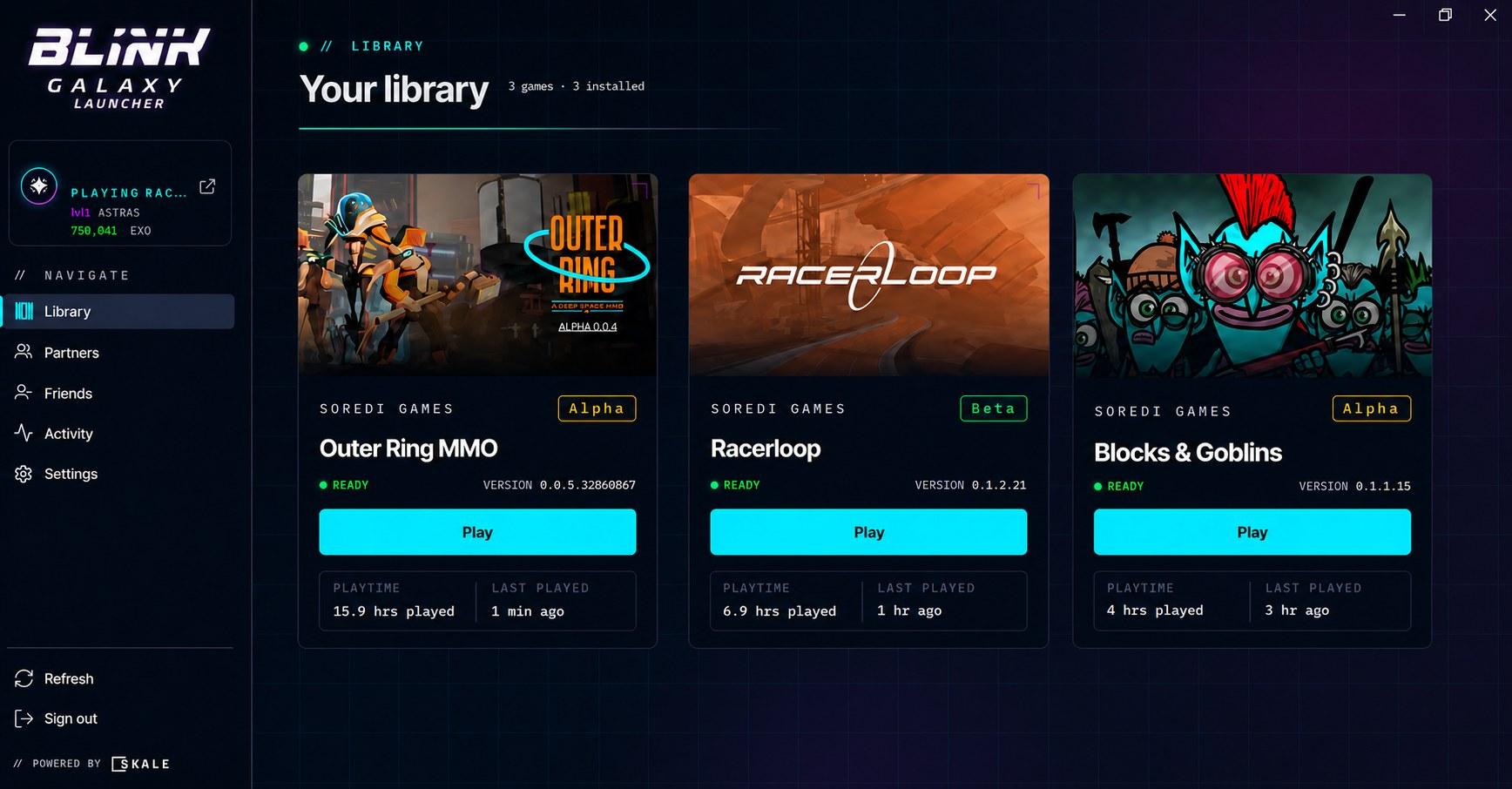
Install and update Outer Ring, Racerloop and Blocks & Goblins from one app. See what your friends are playing, earn rewards for playing, and top up Astras without leaving the launcher.
- Windows 10/11 · 64-bit
- 53 MB
- Signed by SOREDI GAMES
- Published Sep 30, 2026
// What you get
Everything in one launcher
Install once, always up to date
Download the three games from one place and let them update by themselves in the background. You just press Play.
Your friends, live
See who is online and what they are playing, chat and send invites without leaving the launcher.
Rewards for playing
Your playtime and achievements earn rewards, and the launcher keeps a record of everything you earn in Activity.
Astras for any of your games
Top up Astras with a card and move them between your games. You see the fee and what arrives before you confirm, and every step is confirmed by the server.
// Astras store
The same store, here and in the launcher
Buy Astras for Outer Ring, Racerloop or Blocks & Goblins with your card, or move them between your games. Your Blink Passport and your balances are the same on the website and in the launcher.
Already have BG? You can use it to pay too. It's optional.
// What's new
Latest launcher updates
v0.5.20-beta · Sep 29, 2026
Clearer purchase notices
- If you buy another pack while an earlier purchase is still pending, the earlier one's notice no longer replaces the new purchase's: it comes separately, with its reference.
- A charged purchase that has not reached your game after a day tells you support will settle it, with its reference and how to reach us. It is never charged again.
v0.5.19-beta · Sep 29, 2026
Safer purchases and transfers
- A purchase that was already charged stays the same purchase until your Astras arrive: if the launcher closes, pressing the pack again checks it and never buys again.
- Opening the store shows the purchase still in progress, with its reference.
v0.5.18-beta · Sep 29, 2026
Clearer transfer notices
- A transfer that needs support shows its full notice when you open the window and when you reopen it.
- The notice for a transfer outside today's limits reads in full, and its reference can be copied.
Every update is also listed inside the launcher.
// Questions
Before you download
Is it free?
Yes. The launcher is free, and so are Outer Ring, Racerloop and Blocks & Goblins.
Do I need crypto or a wallet?
No. You sign in with your Blink Passport and pay with a card. If you already have BG you can use it, but you never need it to play or to buy.
Windows says it protected my PC
That is Windows SmartScreen, which warns about apps it has not seen often yet. The installer is signed by SOREDI GAMES: click “More info” and then “Run anyway”.
What does my PC need?
Windows 10 or 11, 64-bit, plus disk space for the games you install. Each game lists its own requirements on its page.
Is it the same store as the website?
Yes. Your Blink Passport and your balances are the same whether you buy on blinkgalaxy.com or in the launcher, and the Astras land in the game you choose either way.
How do I uninstall it?
From Windows Settings › Apps, like any other program. Games can be uninstalled one by one from inside the launcher.
Your galaxy is one install away
Download the launcher, sign in with your Blink Passport and your three games are ready.
